| Top Next |
Time Server / Client Remote Management
What is LAN Time Analyzer

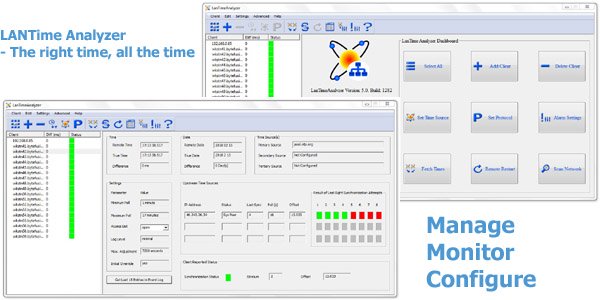
Lan Time Analyzer allows easy and centralized management of PresenTense Time Clients.
Click to download LanTime Analyzer Demo
|
Standard Edition License |
Professional Edition License |
LanTimeAnalyzer Advantages at a Glance
Remote administration of PresenTense Time ClientsAdminister all your PresenTense Time clients from a central location.
Change operating parameters on individual PresenTense Time Clients or change parameters concurrently on all time clients with a single operation.
Get detailed information about individual PresenTense Time Client
Information such as last synchronization, offset from true time, upstream time sources etc is instantly available.
Automatically check the time on PresenTense Time Clients
Set how often LanTimeAnalyzer should automatically fetch the time from PresenTense Time Clients and check the time difference.
Alarm action for specific error conditions
Configure LanTimeAnalyzer to report error conditions or invoke third party applications in response to predefined alarm conditions.
Scan network for PresenTense Time Clients and PresenTense Time Servers
Scan an IP address range to automatically find and add clients to be managed.
Important: Please note that LanTimeAnalyzer is designed to work specifically with PresenTense Time Clients (version 5.2 or later) which have been designed from the ground up to be administered over the network. In order to use this product for network time analysis, you will need to download and install PresenTense for Windows on your PC's. You also need access to an NTP time server or GPS, either on your local area network or on the public internet.
Please visit www.bytefusion.com for more information.